
I still remember the first time I pulled off a perfect drop shot in a Ranked Search & Destroy match back in 2020. The enemy slid around the corner, spraying their QQ9, and I dropped instantly, landing every bullet from my Holger 26 while they whiffed completely. That moment taught me something crucial: in Call of Duty Mobile, raw aim only takes you so far. The true game‑changers are trickshots — fluid, unexpected movements that turn a disadvantage into a highlight‑reel elimination. Even in 2026, with all the new movement mechanics and meta shifts, these three core trickshots remain the backbone of every legendary gunfight. I've coached hundreds of players over the past six years, and mastering these techniques is what separates the casual weekend warrior from the leaderboard grinder. Let me walk you through the drop shot, the jump shot, and the flick shot, exactly as I still use them today.
The Drop Shot: Prone Perfection That Saves Your Life
The drop shot — proning while firing — has evolved a lot since the prone button update, but the core concept is timeless. I rely on it whenever I’m caught in a 2v1 situation or when my HP is too low for a fair trade. The beauty of this move is the sudden change in the opponent’s aim point; most players track upper chest and head, so when you vanish to the ground in a split second, their bullets sail right over you.
To execute it consistently in 2026, I recommend a dedicated three‑finger or four‑finger claw HUD. You need two buttons under independent control: Crouch/Prone and Fire (with ADS) . If you play hipfire, it’s still possible but requires adding an ADS button into the mix. Here is my step‑by‑step process:
-
Pre‑aim your crosshair at the expected enemy position.
-
The moment you spot the target, tap and hold the Crouch/Prone button while simultaneously holding the Fire button.
-
Keep tracking the enemy as your character drops; don’t spam the prone — one smooth transition is enough.
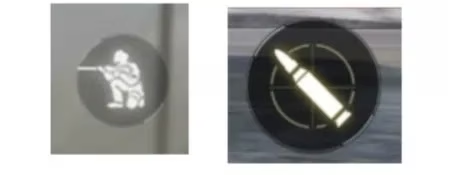
If you play without ADS by default, the technique becomes a three‑input combination: press Prone + Fire + ADS together. It demands finger independence that only comes with muscle memory. I spent two weeks in Nuketown free‑for‑all lobbies just drilling this until my left index finger knew exactly when to hit prone without me thinking. The result? My 1v1 win rate inside buildings jumped by nearly 30%. Don’t sleep on the hipfire drop either — against SMG rushers on Shipment, it’s a nightmare for them.
The Jump Shot: Aerial Aggression That Breaks Campers
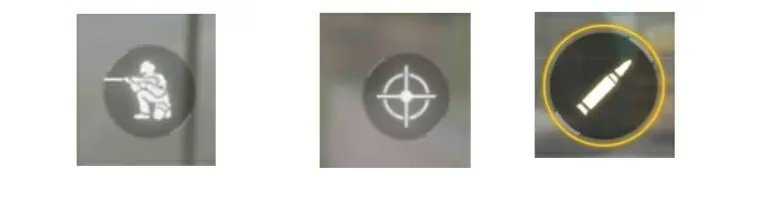
Nothing frustrates me more than a corner‑camping sniper waiting behind a door. Jump shots have been my answer since the early days, and they’ve only gotten better with the addition of advanced movement remastering in 2025. The idea is simple: slide or sprint toward a known camper spot, jump around the corner while already firing, and catch them off guard. The airborne trajectory messes with their pre‑aim, giving you that split‑second advantage.
Performing a jump shot is straightforward, but timing is everything:
-
As you approach the corner, start your slide or sprint.
-
Press the Jump button and, while you’re in the air, immediately press and hold the Fire button while dragging your aim onto the target.
-
For ADS users, you can combine it: jump → ads → fire. I prefer using the manual ADS button for more control.
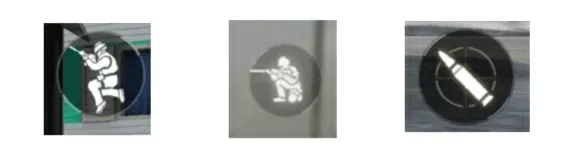
I learned this the hard way on Standoff. A persistent camper with a DL Q33 kept locking down the courtyard. After dying three times, I started jumping through the window from the bakery side. The first leap, I pre‑fired mid‑air and dropped him before my feet touched the floor. Since then, I practice jump shots daily in Training Room with moving bots. One advanced tip for 2026: pair it with the slide‑cancel before the jump to increase your speed and unpredictability. This makes you a nightmare in Hardpoint and Domination.
The Flick Shot: Sniper’s Ultimate Tool for Map Control
Flick shots are the canvas on which sniper mains paint their masterpieces. I use them to lock down long sightlines without having to hard‑scope for seconds. A flick is a rapid, almost instantaneous movement where you swipe your aim to the target and fire in one motion. It works best when you already have your crosshair roughly where an enemy’s head will appear.
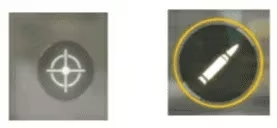
There are two ways to do it, but my preferred setup for 2026 involves Hipfire mode for the primary weapon button. This forces a quick scope motion when you tap both aim and shoot together. The steps:
-
Position your crosshair at the edge of a cover where you expect a peek.
-
The millisecond you spot movement, tap Aim button and Shoot button at nearly the same time. The aim should be a fast drag toward the target.
-
Practice this until the flick feels like a single fluid motion, not two separate actions.
I can't stress enough how much this demands repetition. When I first started, I spent hours in the Gunsmith testing different sensitivity settings. I found that a standard sensitivity of around 90–100 with a low ads sensitivity multiplier gives me the precision I need. Also, set your sniper scope to the cleanest reticle — I use the 6x or 4x with a simple red dot overlay. The flick shot is not just for montages; in ranked Search & Destroy, holding a map area without a sniper opening fast equals a lost round. Pair flick shots with movement like slide‑scoping, and you’ll control entire lanes.
Bringing It All Together
These three trickshots aren’t just isolated tricks — they form a toolkit. I often chain a drop shot after a jump shot if I miss the initial kill, or flick‑scope someone who tries to jump‑shot me. The real secret is building muscle memory. I recommend 15 minutes a day in Practice vs. AI or free‑for‑all matches focused solely on one shot at a time. Track your progress with small goals: land 10 drop shots in a match, then 15. Within a month, these actions become reflex. Remember, every pro you see on the COD Mobile Championship stage started exactly where you are now — grinding the basics until they became art. Get into the game, set up your HUD, and start making those clips. I’ll see you on the leaderboard.
Loading comments...